
D-Link

DAP-E3620W

BE3600 Wi-Fi 7 Wall-Plate Access Point

  • Wi-Fi 7 BE3600 for fast and smooth connectivity
  • High-efficiency Wi-Fi for smooth business traffic
  • Efficient client handling with 2×2 MIMO
  • 2.5GbE uplink for fast wired connectivity
  • Gigabit ports for IPTV, PC, IoT, plus PoE Out
  • 802.3at PoE for single-cable installation
  • WPA3 Personal/Enterprise security
  • Captive portal support for guest onboarding
  • Centralized management with Nuclias Unity and controllers
  • Room-ready wall-plate for stable, secure deployments

Overview

User Benefits

Wi-Fi 7 Technology

Dual-band Wi-Fi 7 (802.11be), BE3600 class (2×2 + 2×2), delivering lower latency and higher efficiency for multi-user traffic

Powered by PoE

802.3at PoE+ for easy single-cable installation, with a 2.5GbE uplink and PoE Out support for downstream devices

VLAN Per SSID

Assign each SSID to a dedicated VLAN for traffic segmentation, enabling simple separation of networks through policy-based control

Customizable Guest Access

Each SSID can be configured with a dedicated captive portal page. Customizable login pages for branding, advertising, or promotional purposes.

Built for Hospitality / MDU

The wall-plate design supports discreet installation while delivering both Wi-Fi and wired connectivity for IPTV, PCs, and IP phones

Centralized Management

Centralized management through Nuclias Unity or Nuclias hardware/software controllers
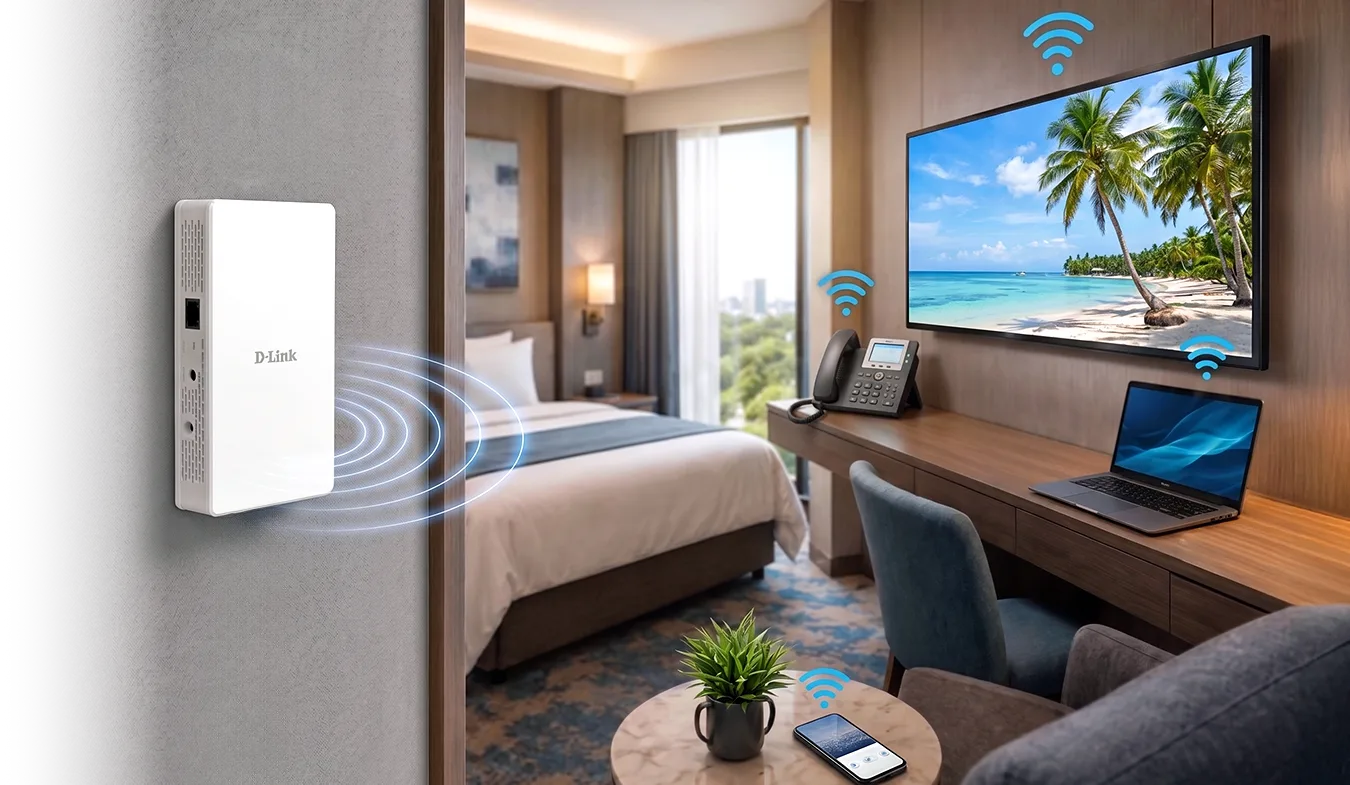
Wi-Fi 7 In-Room Experience, Made Simple

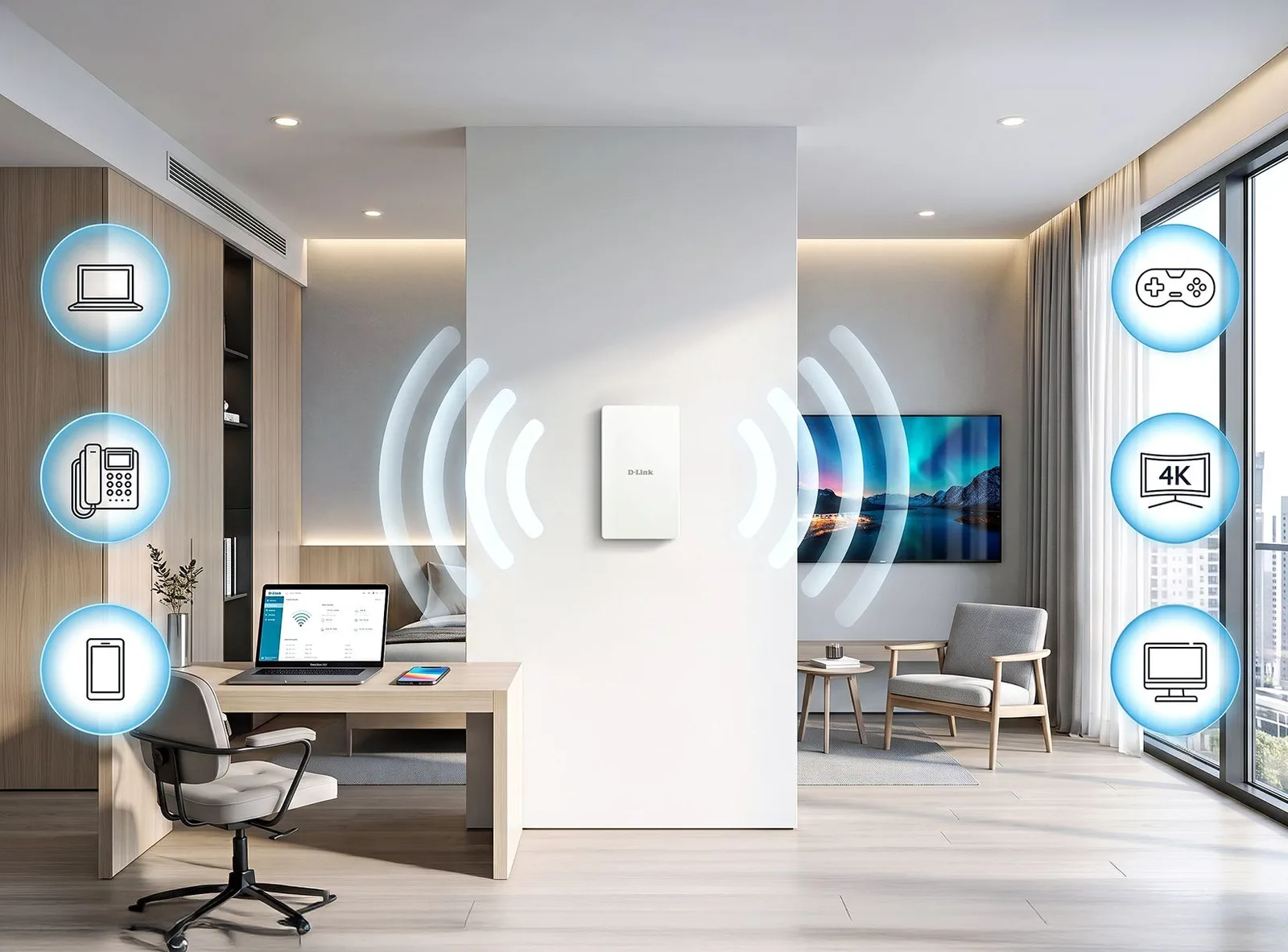
DAP-E3620W is built for hotels, dormitories, and multi-dwelling units, delivering strong, predictable in-room Wi-Fi exactly where users need it,inside every room. Its wall-plate design ensures a clean, secure installation, while single-cable PoE deployment simplifies setup. Ideal for room-by-room coverage strategies, this access point enables operators to deliver consistent guest or resident experiences with less installation effort.

Hotel room scene (AI-style render): DAP-E3620W on wall, Wi-Fi rings toward bed, TV, desk phone, laptop, phone

Enterprise-grade Wi-Fi 7 (BE3600), in Every Room

The DAP-E3620W delivers per-room Wi-Fi 7 for hospitality venues and student dormitories, where high-turnover, multi-device use demands reliable in-room coverage on every visit.

Dual-band 2×2 MIMO supports multiple devices, including phones, laptops, and smart TVs.

Wi-Fi 7 technologies improve performance and reduce latency for work-from-room and study use.

Modern hotel room, wall-mounted DAP-E3620W with Wi-Fi arcs

Gigabit Ports and PoE Out to Power In-Room Devices

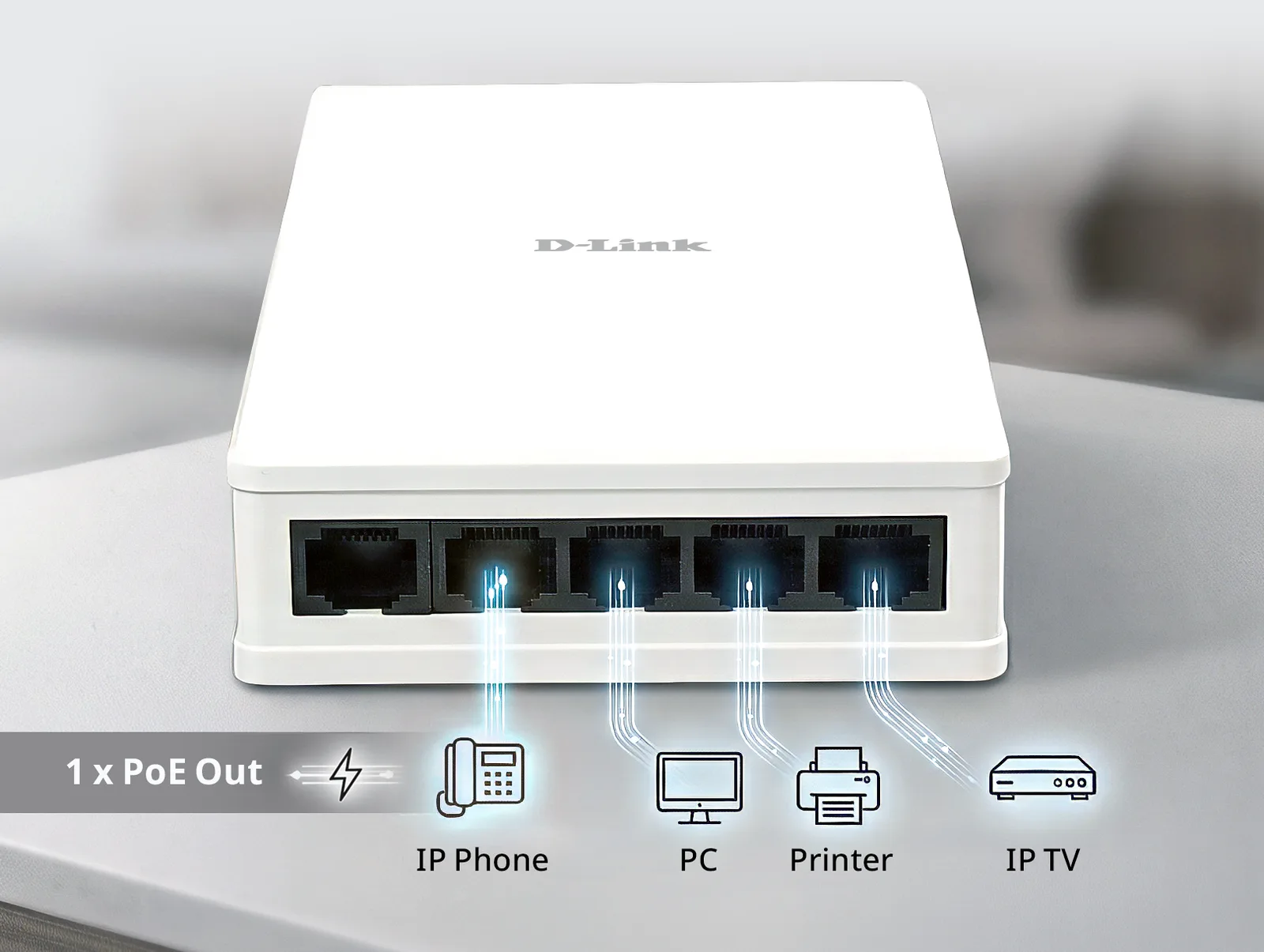
More than a wall-plate AP, DAP-E3620W also acts as an in-room wired hub. With one 2.5 Gigabit uplink and four Gigabit downlink ports, it delivers reliable wired connections for devices like IP phones, IPTV, PCs, and printers. One downlink port supports 802.3af PoE Out, letting you power an additional endpoint without an extra power adapter, for cleaner installs, fewer cables, and easier deployment in the room.

DAP-E3620W port edge with light trails to icons

Simplified Centralized Network Management

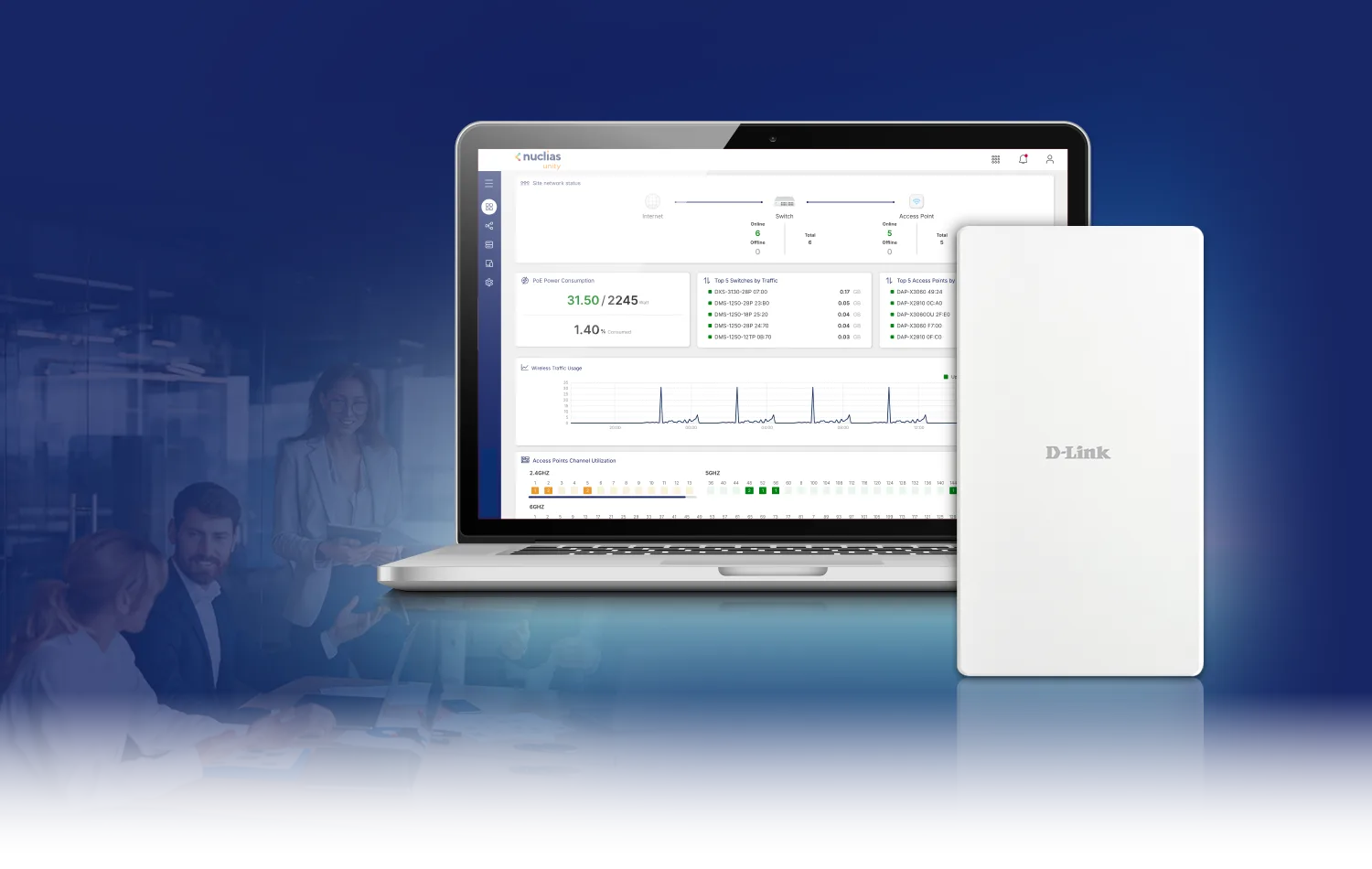
The DAP-E3620W supports D-Link Nuclias Unity and Nuclias hardware and software controllers for centralized management, monitoring, and maintenance. DAP-E3620W/Ax is supported in Nuclias Unity v1.1.7.

Through an intuitive dashboard, IT teams can provision access points, configure multiple SSIDs and VLAN settings, manage firmware centrally, and view device lists, topology, events, and logs.

Dark blue banner: laptop showing Nuclias Unity dashboard, DAP-E3620W on right, meeting-room people faded left

Dormitory (Education)

User benefits:

Reliable in-room Wi-Fi 7 for dorm rooms and study use

Supports multiple devices per room (laptop/phone/tablet)

Built-in downlink LAN ports for PCs, IPTV, or set-top boxes

PoE single-cable installation for fast, clean dorm deployment

SSID/VLAN segmentation to separate student, staff, and guest access

WPA3 and access control options to protect campus network and user data

Hotel (Buildings)

User benefits:

Strong, predictable in-room Wi-Fi guests can rely on

Smooth video calls and streaming with responsive Wi-Fi 7 performance

Branded guest onboarding via Captive Portal with secure access policies

Per-room wired connectivity using built-in LAN ports for IPTV/VoIP/PC

PoE wall-plate design enables quick retrofit and tidy rooms

Secure guest & staff separation with WPA3 and VLAN-based network design

High-Rise Community (Buildings)

User benefits:

Consistent in-unit Wi-Fi 7 coverage designed for every apartment / room

Handles everyday multi-device households with stable performance

In-room wired ports + PoE Out for IPTV, VoIP phone, or IoT gateway

Clean, secure wall-plate installation ideal for MDU deployments

Resident/guest traffic isolation via multiple SSIDs and VLAN policies

Enhanced security with WPA3 and access control to protect private networks

DAP-E3620W

Specifications

Specification
General
Device Interfaces1 x 2.5 Gigabit Ethernet PoE LAN port (uplink) 4 x 1 Gigabit LAN port (downlink, one PoE out for PD device) 1 x Reset button 1 x RJ45 console port 1 x Passthrough Port⁵
LEDPower/Status
Antenna2 x 3 dBi @ 2.4 GHz 2 x 3.3 dBi @ 5 GHz
Wi-Fi Data Rate²,³2.4 GHz up to 688 Mbps 5 GHz up to 2882 Mbps
IEEE Standard³IEEE 802.11be/ax/ac/n/g/b/a IEEE 802.3at PoE IEEE 802.3u/ab/an/bz IEEE 802.3az Energy-Efficient Ethernet (EEE)
Maximum Output Power¹24 dBm (2.4 GHz) 23 dBm (5 GHz)
Functionality
Security ProtocolWPA/WPA2/WPA3™ Personal/Enterprise SSID broadcast disable MAC address access control WEP 64/128-bit Enhanced Open Internal RADIUS server
Operating Frequency²2.4 - 2.483 GHz 5.15 - 5.85 GHz
Software
Device ManagementWeb (HTTP/HTTPS) Nuclias Unity Nuclias hardware and software controller Telnet/SSH SNMP
Physical
Dimensions160 x 86 x 29 mm
Weight260 g
Power Input802.3at
Max Power Consumption< 17W
Operating Temperature0 to 40 °C (32 to 104 °F)
Storage Temperature-20 to 65 °C (-4 to 149 °F)
Operating Humidity10% to 90% non-condensing
Storage Humidity5% to 95% non-condensing
Certifications⁴CE
Ordering Information
DAP-E3620WBE3600 Wall Plate Access Point
Package ContentsDAP-E3620W Bracket Screws Quick Start Guide

Actual performances may vary due to settings, cabling, temperature, network configuration, interface, device compatibility, environmental and on-site conditions, and other similar factors. References to power capability, signal or processing speed, signal range or distance, data encryption, storage capacity, display properties, or other performance metrics are based on optimal conditions derived from industry standards and provided for informational purposes only. Specifications may be subject to change without prior notice.

Support

Downloads

Datasheets
DescriptionDateTypeFile SizeDownload
DatasheetDatasheetPDF · 0.40mb-PDF0.40mb
Manuals
DescriptionDateTypeFile SizeDownload
User Manual 2026.11User Manual 2026.1113 Nov 2026 · PDF · 5.20mb13 Nov 2026PDF5.20mb
Additional Downloads