Extend Your Wi-Fi.
The DAP-1325 N300 Wi-Fi Range Extender is a portable plug-in adapter that lets you extend an existing wireless network.
Simply place it anywhere in your home to extend the range of your wireless network.
Overview
The DAP-1325 N300 Wi-Fi Range Extender is a portable plug-in adapter that lets you extend an existing wireless network.
Simply place it anywhere in your home to extend the range of your wireless network.

Easy expansion of your Wi-Fi coverage

Helps you find the best location for optimal coverage

Connect securely with the push of a button

Connect a wired device or create a wireless hot-spot
Eliminate poor Wi-Fi performance and increase your wireless network coverage with speeds of up to 300 Mbps¹. Use the built-in Ethernet port to create a personal Wi-Fi hotspot or connect a wired device.
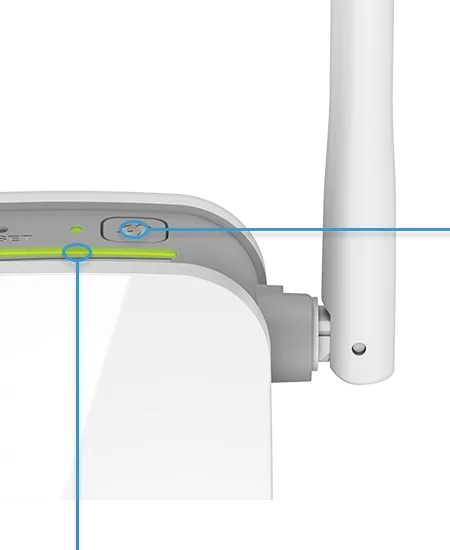
Push the WPS one-touch configuration button, then push the WPS button on your existing WiFi device: You are done. The DAP‑1325 will automatically configure itself.
Alternatively, you can use our QRS Mobile App on your iOS or Android mobile device to easily set up the DAP‑1325 without a computer.
The N300 Wi‑Fi Range Extender even includes a built‑in setup wizard should you want finer control of wired and wireless settings.
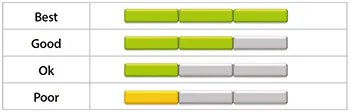
Plug it in and use the LED signal indicator to find the best location to extend your network.
Optimal Wi-Fi coverage with zero guessing.
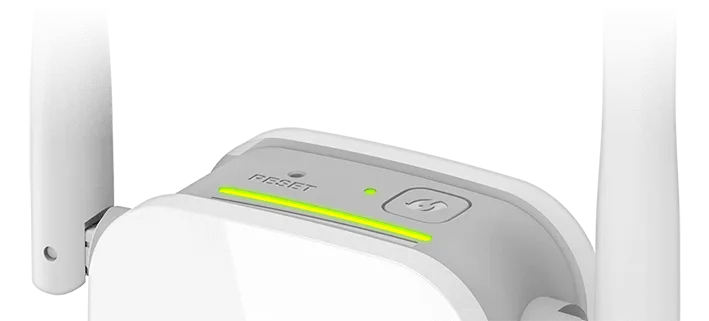
The DAP-1325’s compact design and intuitive setup make it perfect for use at home or in a small office. Its diminutive wall-plug design saves you the hassle of dealing with a power cord and its sleek, unobtrusive appearance blends easily into any decor.
DAP-1325
| Wireless speed | 300 Mbps 2.4 GHz |
|---|---|
| Wired interface | 1 x Fast Ethernet LAN |
| Antenna type | 2 fixed omni-directional antennas |
| Wireless modes | Wireless client Wireless extender |
Actual performances may vary due to settings, cabling, temperature, network configuration, interface, device compatibility, environmental and on-site conditions, and other similar factors. References to power capability, signal or processing speed, signal range or distance, data encryption, storage capacity, display properties, or other performance metrics are based on optimal conditions derived from industry standards and provided for informational purposes only. Specifications may be subject to change without prior notice.
Support