D-Link

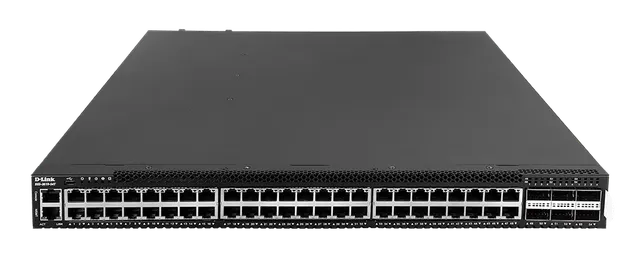
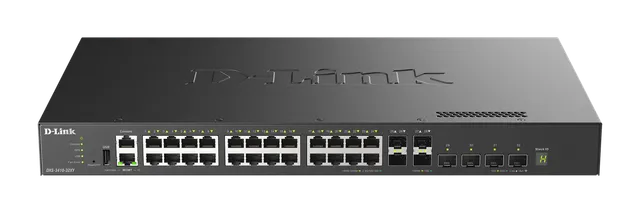
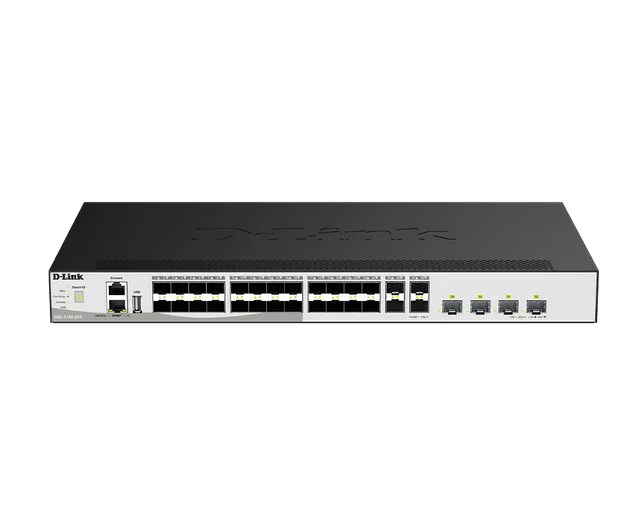
DGS-3630 SERIES

Gigabit L3 Stackable Managed Switches

  • Designed for Small to Medium Businesses, Enterprises and ISPs
  • Deliver high performance, flexibility, fault tolerance, and advanced software features
  • Gigabit Ethernet SFP, 10 GbE SFP+, security features, and advanced Quality of Service (QoS), the DGS-3630 Series can act as core, distribution or access layer switches
  • High port densities, switch stacking, and easy management make the DGS-3630 Series suitable for a variety of applications
  • DGS-3630-28PC and DGS-3630-52PC feature Power over Ethernet, which allows PoE-powered devices to be powered by the switch through a standard Ethernet cable.
  • Network Assistant Utility
  • Industry-standard CLI
  • Intuitive web-based management interface
  • Standard Image (SI)
  • Enhanced Image (EI)

Overview

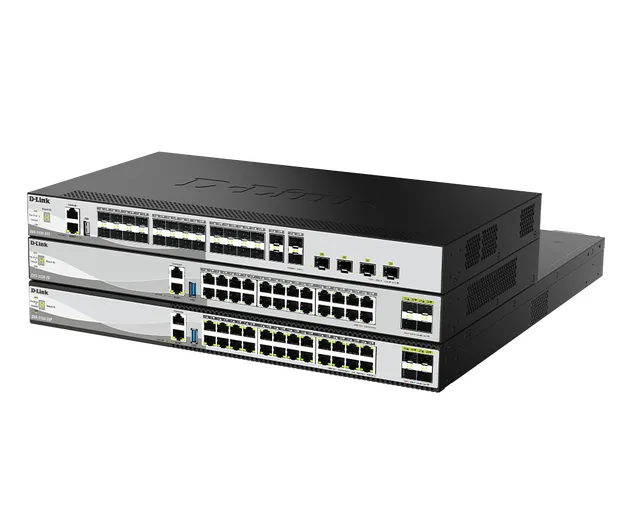
Stackable Managed Switches

Designed for Small to Medium Businesses, Enterprises and ISPs

Deliver high performance, flexibility, fault tolerance, and advanced software features

Gigabit Ethernet SFP, 10 GbE SFP+, security features, and advanced Quality of Service (QoS), the DGS-3630 Series can act as core, distribution or access layer switches

High port densities, switch stacking, and easy management make the DGS-3630 Series suitable for a variety of applications

DGS-3630-28PC and DGS-3630-52PC feature Power over Ethernet, which allows PoE-powered devices to be powered by the switch through a standard Ethernet cable.

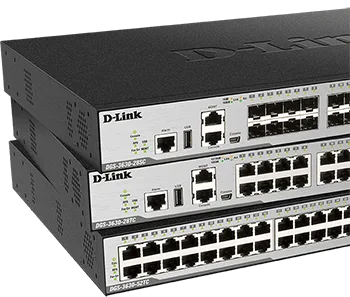
DGS-3630 Series Stackable Managed Switches illustration

Outperforming the competition

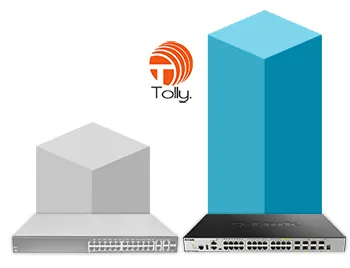
The DGS-3630-28TC was benchmarked against a market leading competitor's device. It matched or exceeded the competitor's performance across all tests despite being significantly lower in price with a much lower power consumption.

DGS-3630 Series performance comparison illustration

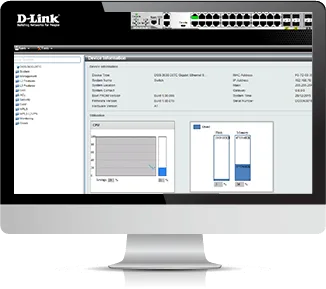
Versatile Management

The DGS-3630 Series provides:
Network Assistant Utility
Industry-standard CLI
Intuitive web-based management interface
Support for SNMP allows centralized management of a large number of devices and out-of-band management is available via a dedicated console port.

A mini-USB console port allows the DGS-3630 Series to be managed without any extra connectors, and a USB Type A port can be used to store logs, configuration, and firmware images.

DGS-3630 Series Versatile Management illustration

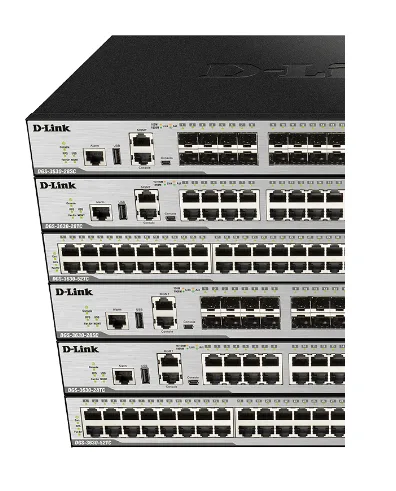
High Availability and Flexibility

The series includes stacking technology, which allows multiple switches to be combined to form a single physical or virtual stack.

Scale your network using just a stacking cable and without the need for stacking modules.

Stacking increases redundancy over multiple physical units, simplifies management and provides a single IP address to manage all members in the stack.

DGS-3630 Series High Availability and Flexibility illustration

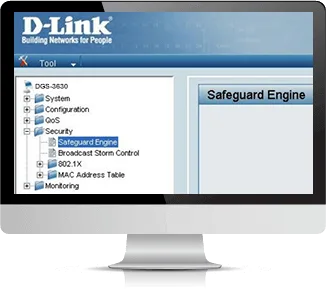
Security, Performance & Availability

A robust set of QoS features helps ensure that critical network services such as Voice over IP and video conferencing are given high priority through the network.

The D-Link Safeguard Engine increases the switch’s reliability, serviceability, and availability by preventing malicious flooding traffic caused by worms or virus attacks.

DGS-3630 Series Security, Performance & Availability illustration

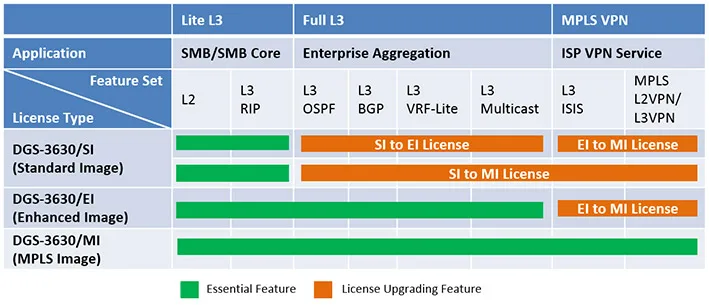
Multiple Software Images*

The DGS-3630 Series is designed for use with three different software images:

Standard Image (SI)
Enhanced Image (EI)
MPLS Image (MI)
Please refer to the Specifications tab or download the product datasheet for more information.

DGS-3630 Series Multiple Software Images illustration

DGS-3630 SERIES

Specifications

Technical specifications for DGS-3630 SERIES
LayerLayer 3
Main type of ports1000BASE-T Gigabit Ethernet
Number of ports16 to 30 ports 48 to 54 ports
Type of uplink ports10GbE SFP+
Switching capacity128 Gbps 176 Gbps
802.3az Energy-Efficient Ethernet supportSupported
Form factorRackmountable
HousingMetal
Physical stackingUp to 9 devices Up to 80 Gbps bidirectional bandwidth
Virtual stacking (up to 32 devices)Supported
Jumbo frameSupported
Cable diagnosticsSupported
MAC address68K
Spanning Tree Protocol802.1D STP 802.1s MSTP 802.1w RSTP
Ethernet ring protection switching (ERPS)Supported
Link aggregation802.1AX
VLAN group (max static)4K
VLAN typeGVRP MAC-based Port-based Protocol-based
Advanced VLANAsymmetric VLAN Auto Surveillance VLAN Double VLAN (Q-in-Q) Voice VLAN
IPv4/IPv6 routing tableIPv4 - 32K IPv6 - 16K
IPv4/IPv6 forwarding tableIPv4 - 32K IPv6 - 16K
IP interfaces256
Static route for IPv4/IPv6IPv4 - 512 IPv6 - 512
IPv6 tunnelingSupported
MulticastingSupported
PIM-SMSupported
DVMRP v3Supported
RIP v1/v2Supported
RIPngSupported
OSPFSupported
BGPSupported
OSPFv3Supported
MPLSSupported
VPLSSupported
Number of QoS queues per port8
CoS based on contentsSupported
Bandwidth control8 Kbps minimum granularity
Three colour marker8 Kbps minimum granularity
ACL typeEgress Ingress VLAN-based
ACL based on packet contentsSupported
Time-based ACLSupported
Encryption protocol supportedSSH SSL (v1/v2/v3)
ARP spoofingSupported
BPDU attack protectionSupported
802.1X access controlSupported
Microsoft NAP supportSupported
RADIUS/TACACS+ authenticationSupported
SNMP (v1/v2c/v3)Supported
RMON v1/v2Supported
sFlowSupported
LLDPSupported
LLDP-MEDSupported
ICMPv6Supported
802.3ahSupported
802.1agSupported
ITU-T Y.1731Supported
PoE options802.3af 802.3at
Number of PoE ports24 48
PoE power budgetSee datasheet See datasheet
StackingPhysical Virtual

Actual performances may vary due to settings, cabling, temperature, network configuration, interface, device compatibility, environmental and on-site conditions, and other similar factors. References to power capability, signal or processing speed, signal range or distance, data encryption, storage capacity, display properties, or other performance metrics are based on optimal conditions derived from industry standards and provided for informational purposes only. Specifications may be subject to change without prior notice.

Support

Downloads

Datasheets
DescriptionDateTypeFile SizeDownload
DatasheetDatasheetPDF · 0.58mb-PDF0.58mb
Manuals
DescriptionDateTypeFile SizeDownload
User Manual (A2) 2.25User Manual (A2) 2.25PDF · 5.04mb-PDF5.04mb
Web UI Reference Guide (A2) 2.25Web UI Reference Guide (A2) 2.2518 Mar 2021 · PDF · 17.26mb18 Mar 2021PDF17.26mb
Hardware Installation Guide (A2) 2.25Hardware Installation Guide (A2) 2.2518 Mar 2021 · PDF · 5.03mb18 Mar 2021PDF5.03mb
Quick Start/Installation Guides
DescriptionDateTypeFile SizeDownload
Quick Installation Guide (A1) 2.00Quick Installation Guide (A1) 2.00PDF · 15.49mb-PDF15.49mb
Additional Downloads